Asana AI vs monday AI: what each one actually does for agency PMs
Published 26 November 2026
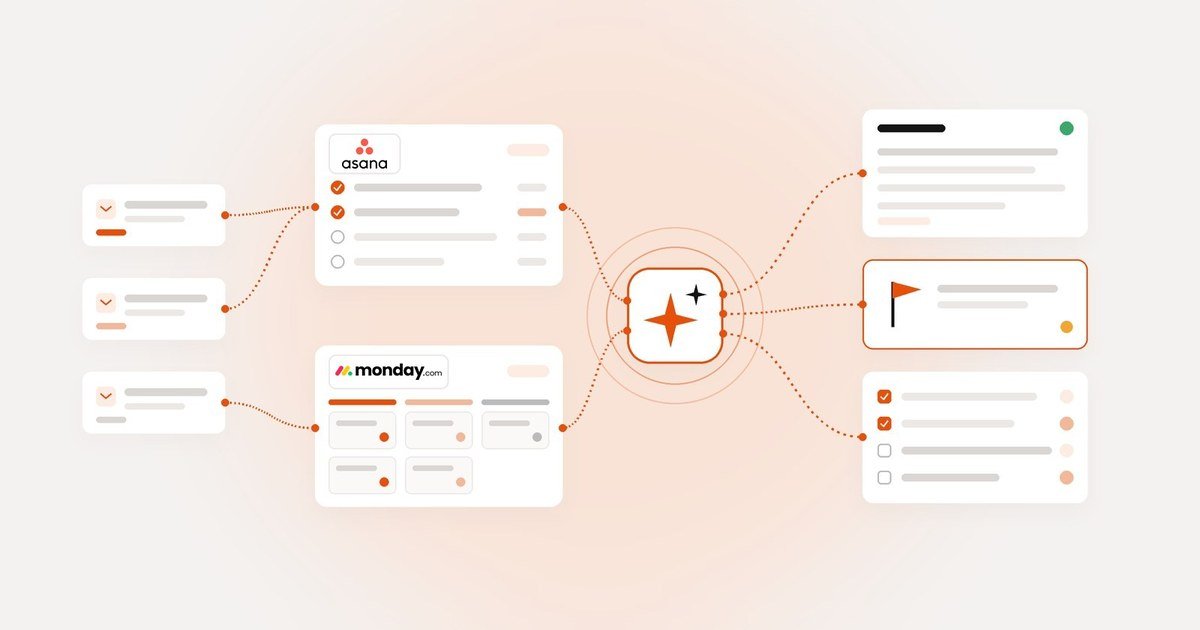
Both Asana and monday.com spent 2026 rebuilding themselves around AI. monday.com now calls itself an AI work platform. Asana talks about AI Teammates and an AI chief of staff. If you run delivery at an agency, none of that tells you much. The useful questions are simpler: what can the AI actually do with your projects on a normal Tuesday, what do the people using it say, and what does it cost once the whole team switches it on?
This is a researched comparison built from each vendor's product pages, help centre, pricing and release notes, plus what reviewers and users report, as of late November 2026. It is not a hands on test. Where the vendors are vague, I say so.
 vs

Asana and monday.com logos are trademarks of their owners, used here for identification only. PM Hub is not affiliated with either company.
The short version
| Asana | monday.com | |
|---|---|---|
| AI assistant | Asana Dash and Smart Chat. A daily brief of priorities, plus next steps pulled from meetings, Slack and email | Sidekick. Answers questions about your boards, updates items, flags delays, drafts plans |
| Status reports | Smart status drafts a project update from live task data. Portfolio and goal updates on Advanced and above | Reporting agents write status updates, daily recaps and executive digests |
| Agents | AI Teammates: 30+ prebuilt, including PMO roles such as a portfolio status analyst and a capacity planner | monday agents: prebuilt reporting and Insights agents, plus an agent builder with a simulation mode |
| Workflow builder | AI Studio: pick a trigger, describe the outcome in plain English, add branches and approvals | AI columns on Standard, AI workflow builder on Pro |
| Meeting notes | AI Meetings on Advanced and above | AI notetaker on Standard and above |
| Cheapest plan with AI | Starter, $10.99 per user a month (annual) | Basic, $9 per seat a month (annual), 3 seat minimum |
| How AI is metered | Teammates and Dash: 5 requests per user a month, capped at 50 per account on Starter and Advanced. AI Studio has its own credit pool | Monthly credits per account: 1,000 on Basic, 2,000 on Standard, 3,000 on Pro |
Prices in US dollars as listed on each vendor's pricing page on 26 November 2026, before tax. Check the figure for your region before you buy.
Where the AI fits in an agency PM's week
Both tools are strongest at the reporting end. Asana goes further on structured intake and capacity; monday.com is quicker to set up on the board.
What you can actually use the AI for
Forget the feature names for a moment. Here is where AI in these tools earns its keep across an agency PM's week, and how each tool handles it.
1. Writing the weekly status update
This is the most mature use in both tools, and the one most reviewers say saves real time.
In Asana, open the project's Overview tab, start a status update and choose Draft with AI. Smart status reads the tasks, due dates and comments, then drafts a summary, the blockers and next steps for you to edit before posting. On Advanced you can do the same across a portfolio or a goal, and add guidance to shape the output.
In monday.com, a reporting agent can produce the update on a schedule, and Sidekick will summarise a board on request. Since the April release, Sidekick can work across several boards at once, so a question about everything at risk this week gets one answer instead of five.
Try this guidance
"Lead with anything that has slipped since last week and who owns it. Then list decisions the client needs to make. Keep it under 150 words and leave out work that is simply on track."
The catch in both: the draft only knows what is in the tool. Asana's own community notes that smart status relies entirely on the tasks, dates and titles in the project. If half the team updates Slack instead of the board, the AI writes a confident report about a project that does not exist.
2. Spotting risk before the client does
Asana can add a risk report to a project's smart summary and send it to you on a regular cycle. It looks for blind spots, open questions and roadblocks rather than just overdue tasks.
monday.com has Insights agents built to flag risks and progress gaps, and agents that call out delayed projects and budget overruns in their digests.
Both are useful as an early nudge. Neither will tell you the sponsor went quiet on the last call or that your lead developer is worried about the integration. That is still your job. It is also why a report can read green while the project is in trouble, which I covered in the project that looked fine in status reports and wasn't.
3. Triaging client requests
Agencies drown in small asks. This is where the two tools differ most.
monday.com's AI columns sit on the board and categorise, summarise, extract or rewrite whatever lands in a row. Chain a few in the Automation Center and a client request is sorted, summarised and assigned before anyone opens it. Quick to set up, and the whole team can see what the AI did.
Asana's AI Studio takes longer to build but goes further. A form submission can trigger a workflow that fills in the brief fields, routes the request, waits for a human check and asks the right lead to approve it. That suits agencies where every request needs costing before work starts.
A good first workflow
New client request comes in. AI pulls out the deliverable, deadline and budget mentioned, flags anything missing, and assigns it to the account lead for a yes or no. Keep the approval step human.
4. Meetings and actions
monday.com includes its AI notetaker from the Standard plan. It records, summarises and pulls out actions with owners. Asana's AI Meetings needs Advanced. For a small agency watching its tool budget, that gap adds up fast. Either way, read the actions before they go to the client. Notetakers are good at what was said and poor at what was meant.
5. Capacity and resourcing
Asana is ahead here. It has a capacity planner Teammate, time tracking on Advanced, and a Timesheets & Budgets add on that puts estimated and actual effort side by side. monday.com can get you there with Vibe, which builds small apps such as a time tracker or budget planner from a plain English description, but you are building it yourself. If capacity is your biggest headache, a dedicated system still beats either AI. The capacity planning guide covers what to track.
6. Using your own AI assistant on the data
Both tools now connect to outside assistants such as Claude and ChatGPT. monday.com offers an MCP connection on every plan at no extra cost, though an account admin has to install it. Asana connects directly with Claude, ChatGPT and Gemini. For a PM this means you can ask your own assistant for a cross project blocker list or a weekly roll up without paying for extra in tool credits.
What users and reviewers report
Asana
Reviewers who used it for a while say the AI is genuinely helpful for status reporting and handover admin, and that working from structured project data makes its summaries more grounded than a general chatbot.
Asana
The complaints are about speed and reliability. Some Capterra reviewers call the AI slow and inconsistent, and an Asana community thread reports a portfolio summary repeating two week old information for one project.
monday.com
On G2, project leads credit Sidekick, task summaries and risk detection with saving them hours each week. Others mainly use Sidekick to find information they cannot track down through the menus.
monday.com
The pushback: the AI helps, but falls short when asked to handle a whole project's scope. Sidekick also works on board data, so email and Slack stay invisible unless you connect them.
The pattern is the same on both sides. The AI is good at reading structured data and drafting. It struggles when the data is thin, stale or scattered across other tools.
The catch: metering
This is where the comparison gets practical.
Asana gives each user 5 AI requests a month for Teammates and Dash, but caps the account at 50 on Starter and Advanced. A 15 person agency would expect 75 requests and gets 50. Extra requests cost $0.50 each in prepaid packs or $0.60 pay as you go. AI Studio runs on a separate pool of 50,000, 75,000 or 200,000 credits a month depending on plan.
monday.com gives each account a monthly credit pot that grows with the plan. AI columns, workflow steps and Vibe calls draw on it, and an AI Cost Center lets admins watch usage by team. What it does not publish clearly is how many credits an agent run costs, so budgeting for agents is guesswork until you trial them. One review also reports that new sign ups since May 2026 have to buy AI credits alongside seats, so check the current terms.
Neither model is unreasonable. Both mean the AI is not unlimited, and an agency that automates every status update across 20 live projects will hit the ceiling faster than the pricing page suggests.
Five rules before you switch any of it on
- Fix the data first. Owners, due dates and statuses kept current. AI on a messy board produces tidy fiction.
- Start with one report. Asana's own advice is to begin with status updates, intake or risk, with a human checkpoint, and expand once it works.
- Keep a human on anything the client sees. Draft with AI, send as you.
- Watch the meter for a month. Note which workflows burn requests or credits before you add more.
- Measure editing time. If fixing the draft takes as long as writing it, turn it off.
So which one?
If you are already on one of them, stay put and switch the AI on. Moving tools to chase AI features costs far more in lost time than either feature set saves.
If you are choosing fresh:
Pick monday.com if
- You are a smaller agency with lots of client facing boards
- Requests arrive constantly and need sorting fast
- You want the notetaker without paying for a top plan
- Start on Standard
Pick Asana if
- You run a structured PMO with portfolios and approvals
- Capacity and time tracking matter to leadership
- Requests need costing and sign off before work starts
- Start on Advanced
How to trial either one properly
Do not judge an AI feature on the demo. Pick one recurring report your team writes every week, such as the Friday client status update, and run it through the tool's AI for four weeks. Time how long it takes to fix the draft each week. If the editing time is not falling by week three, the feature is not saving you anything.
Quick answers
Does Asana AI cost extra?
AI is included on paid plans from Starter, but it is metered. Teammates and Dash get 5 requests per user a month, capped at 50 per account on Starter and Advanced. Extra requests cost $0.50 each prepaid or $0.60 pay as you go.
Does monday.com include AI on every plan?
AI starts on the Basic plan with 1,000 credits a month per account, rising to 2,000 on Standard and 3,000 on Pro. The free plan has no AI.
Which is better for status reports, Asana or monday.com?
Both draft status updates from live project data. Asana's smart status works on projects, and on portfolios and goals from Advanced. monday.com uses reporting agents and Sidekick across boards. Either is only as accurate as the data in the tool.
Can I use Claude or ChatGPT with Asana and monday.com?
Yes. monday.com offers an MCP connection on every plan, installed by an admin. Asana connects directly with Claude, ChatGPT and Gemini.
The AI drafts the report. It reads your board, not your client. The judgement on what goes to the sponsor still has to come from you.
Status reporting, RAID log, capacity planning and governance, built from real agency delivery. They work alongside Asana, monday.com or a plain spreadsheet.
13 templates live · lifetime access · 14 day refund